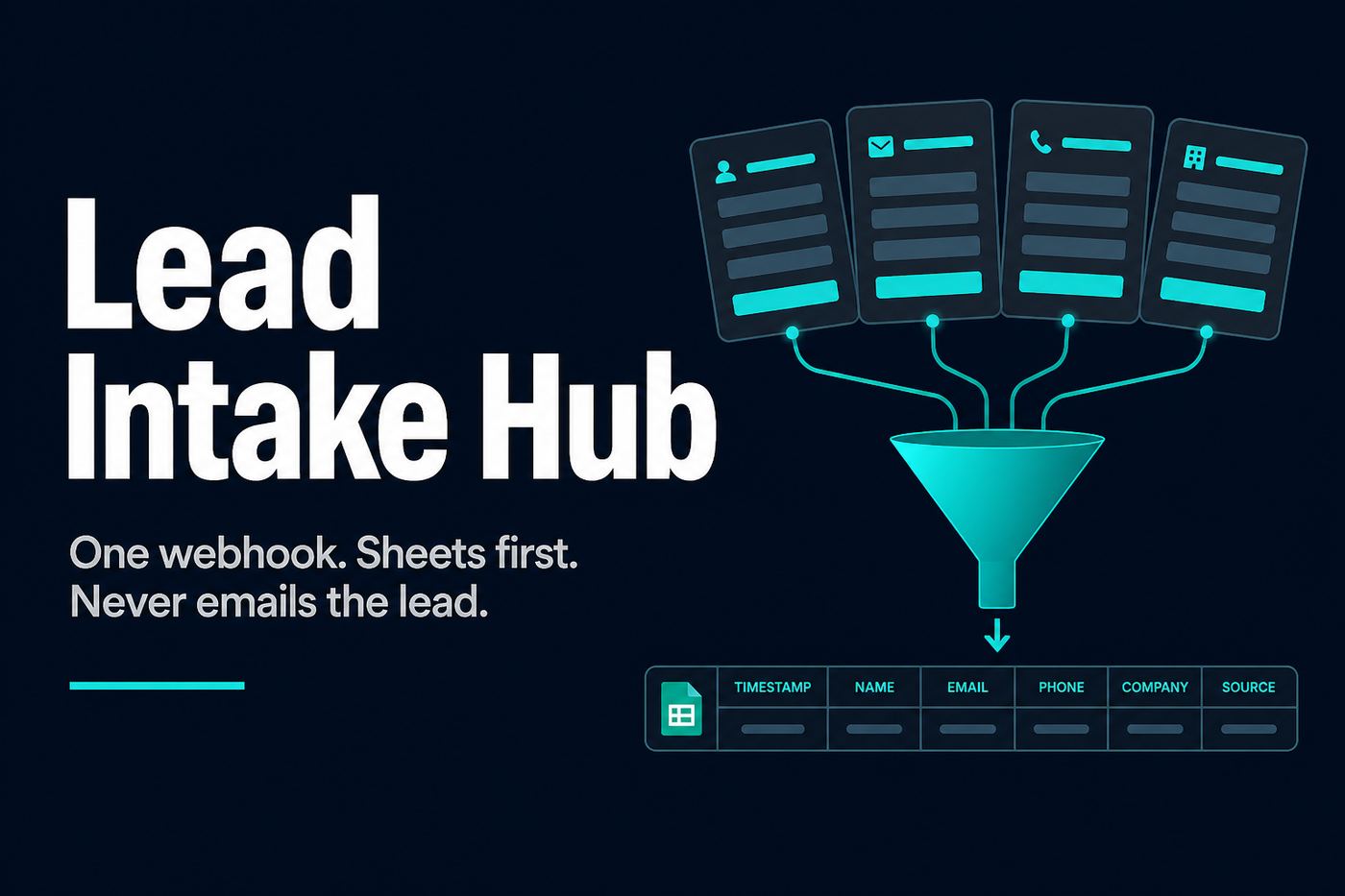
Every form, one lead. Nobody gets a surprise email.
One POST webhook. Four payload shapes. Sheets first. HubSpot or Pipedrive if you want them.
What it does
Lead Intake is n8n lead intake. One POST webhook. It flattens Typeform, Tally, Fillout, or a random webhook into one canonical lead row in Google Sheets. HubSpot or Pipedrive if you want them.
That is the whole job: form webhook flatten to one lead row. Sheets first. Nobody gets a surprise email.
Supported sources
Four payload shapes. Point Tally, Typeform, Fillout, or generic JSON at the same webhook.
- Typeform to Google Sheets — same POST, one flattened lead row.
- Tally form webhook to Sheets — same flatten, same sheet.
- Fillout to Sheets — same webhook, same canonical row.
- A random webhook / generic JSON — if it is not one of those three, it still goes through the flatten.
What it never does
It never emails the lead. There is no welcome sequence, no autoresponder, no “thanks for submitting” in this pack. If you want the workflow to email the lead, skip this.
Not for Salesforce, Facebook Lead Ads, or anyone who wants the workflow to email the lead.
Who it is for
Solo operators with more than one form and a spreadsheet they do not trust. You already run Tally, Typeform, Fillout, or a random webhook. You want one Sheets row you can actually use.
Typeform, Tally, or Fillout webhook to Google Sheets
One n8n webhook. Point Typeform, a Tally form webhook, Fillout, or generic JSON at it. The pack flattens the payload to one lead row in Google Sheets. That is Typeform to Google Sheets, Tally form webhook to Sheets, Fillout to Sheets — same flatten, same sheet.
Always appends Google Sheets. CRM upsert is optional. HubSpot or Pipedrive if you want them. The lead is never emailed.
Setup
- Buy the zip on Gumroad. You get the n8n workflow.
- Import the workflow into your n8n.
- Point every form at the POST webhook — Tally, Typeform, Fillout, or generic JSON.
- Watch the sheet fill. Always appends Google Sheets. CRM upsert is optional.
- Junk email returns 400. Otherwise you get {ok:true,id}. The lead is never emailed.
What you get
- Flattens Tally, Typeform, Fillout, or generic JSON into one lead.
- Junk email returns 400. Otherwise you get {ok:true,id}.
- Always appends Google Sheets. CRM upsert is optional.
- Never emails the lead.
Questions
Does Lead Intake email the lead?
No. It never emails the lead. There is no welcome sequence in this pack. If you want the workflow to email the lead, skip this.
Can I send Typeform to Google Sheets with this?
Yes. Point Typeform at the POST webhook. Lead Intake flattens the Typeform payload into one Google Sheets lead row. HubSpot or Pipedrive upsert is optional.
Does a Tally form webhook to Sheets work?
Yes. Point the Tally form webhook at the same POST webhook. It flattens Tally into one lead row in Google Sheets, same as Typeform or Fillout.
Does Fillout to Sheets work the same way?
Yes. Fillout to Sheets is one of the four payload shapes. Point Fillout at the webhook. You get one canonical lead row. The lead is never emailed.
What does n8n lead intake flatten into?
One POST webhook. Four payload shapes — Tally, Typeform, Fillout, or generic JSON. Form webhook flatten to one lead row in Google Sheets. Junk email returns 400. Otherwise you get {ok:true,id}.
Who is Lead Intake for?
Solo operators with more than one form and a spreadsheet they do not trust. Not for Salesforce, Facebook Lead Ads, or anyone who wants the workflow to email the lead.
Vendor invoice PDFs in Gmail instead of form webhooks? See Invoice Inbox.
Webhook 404 or empty Sheets?
n8n Webhook Debug Checklist ($9): Test vs Production URL, payload shape (Typeform/Tally/Fillout), Sheets append gate, plus a curl sample.
Miss failed runs?
n8n Fail Alert ($19): Error Trigger workflow posts once to Slack (Telegram optional) with the error and execution URL. Never-spam.